
What is yabby?
yabby turns your YouTube channel into a standalone website with your own domain, branding, newsletter signups, and sponsor blocks.
yabby turns your YouTube channel into a real website in minutes. Your videos, playlists, and channel info become a fast, searchable site at https://<your-slug>.yabby.page — or on your own custom domain. You keep publishing on YouTube; yabby keeps your site in sync automatically.
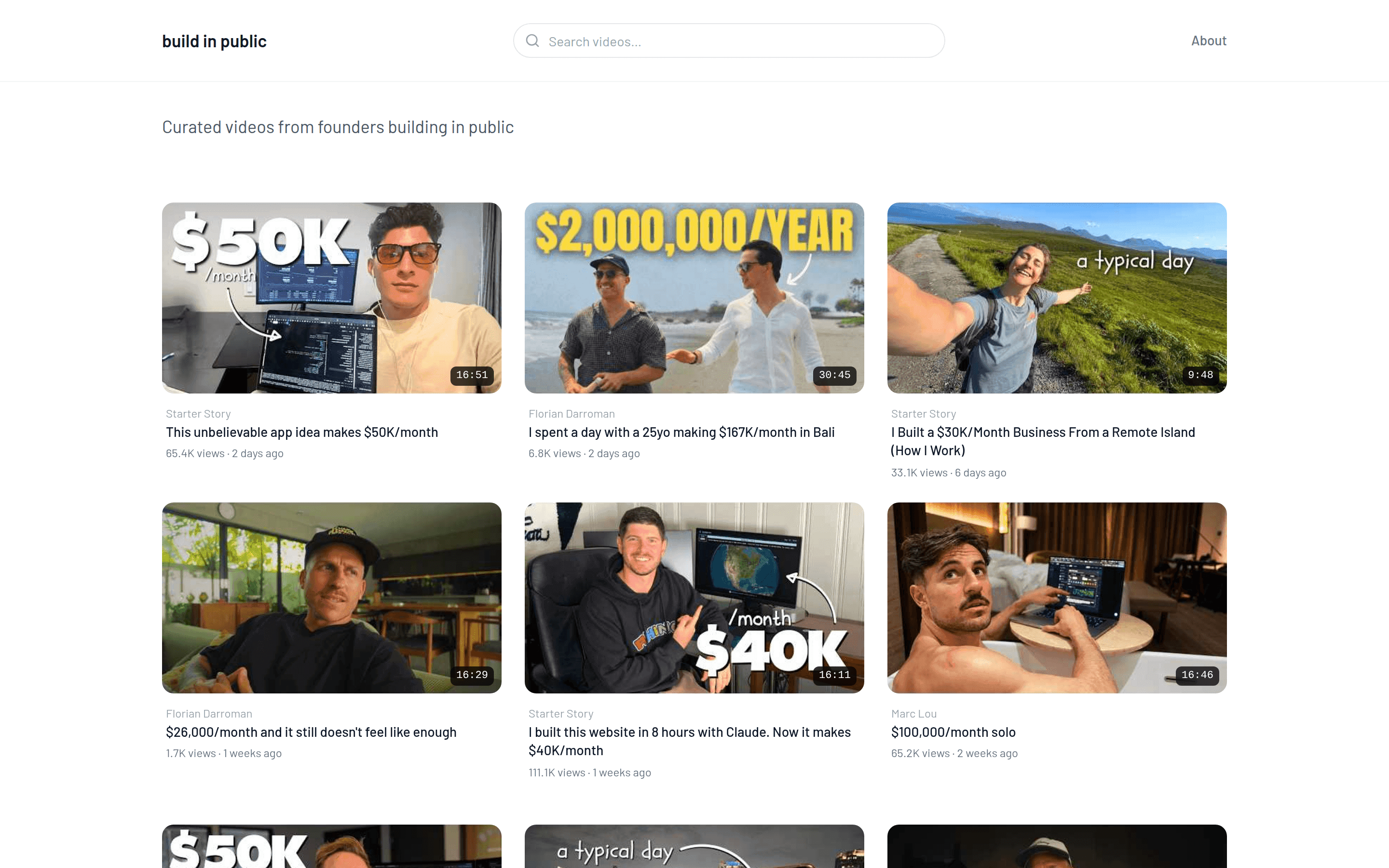
A yabby site is more than an embed. You get your own branding with nine themes, a theme color, and your logo. You can collect newsletter signups through providers like Kit, Mailchimp, or Beehiiv. You can place sponsor and CTA blocks site-wide or on individual videos. And SEO — sitemaps, robots.txt, per-video pages — is handled for you.
Two ways to use yabby
Your channel, as a website. The classic setup: connect your own YouTube channel and get a branded home for your videos, your newsletter, and your sponsors — independent of the YouTube feed.
A curated hub across channels. You don't need a channel of your own. Combine videos from several channels into one TED-style site for a topic — always showing the newest videos across the whole niche. That's how buildinpublic.video collects build-in-public videos from creators like Starter Story and Marc Lou on one page. See Curate a multi-channel site.
How it works
Connect your channel. Sign up, search for your YouTube channel, and yabby creates your website from it.
Make it yours. Pick a theme and color, add your logo, curate which videos show, and set up newsletter signups or sponsor blocks.
Publish and forget. Publish your site at <slug>.yabby.page or your own domain. New YouTube videos appear automatically on every sync.
Publishing requires a paid plan
On the Free plan you can build and preview your site. Publishing it to the web requires Pro or higher.