
Curate a multi-channel site
Build a TED-style video hub that collects the best and latest videos from multiple YouTube channels — no channel of your own required.
You don't need to run a YouTube channel to run a great video site. yabby works just as well the other way around: pick a topic you care about, add the channels that cover it best, and publish a curated hub that always shows the latest videos across all of them — the way TED collects talks from thousands of speakers under one brand.
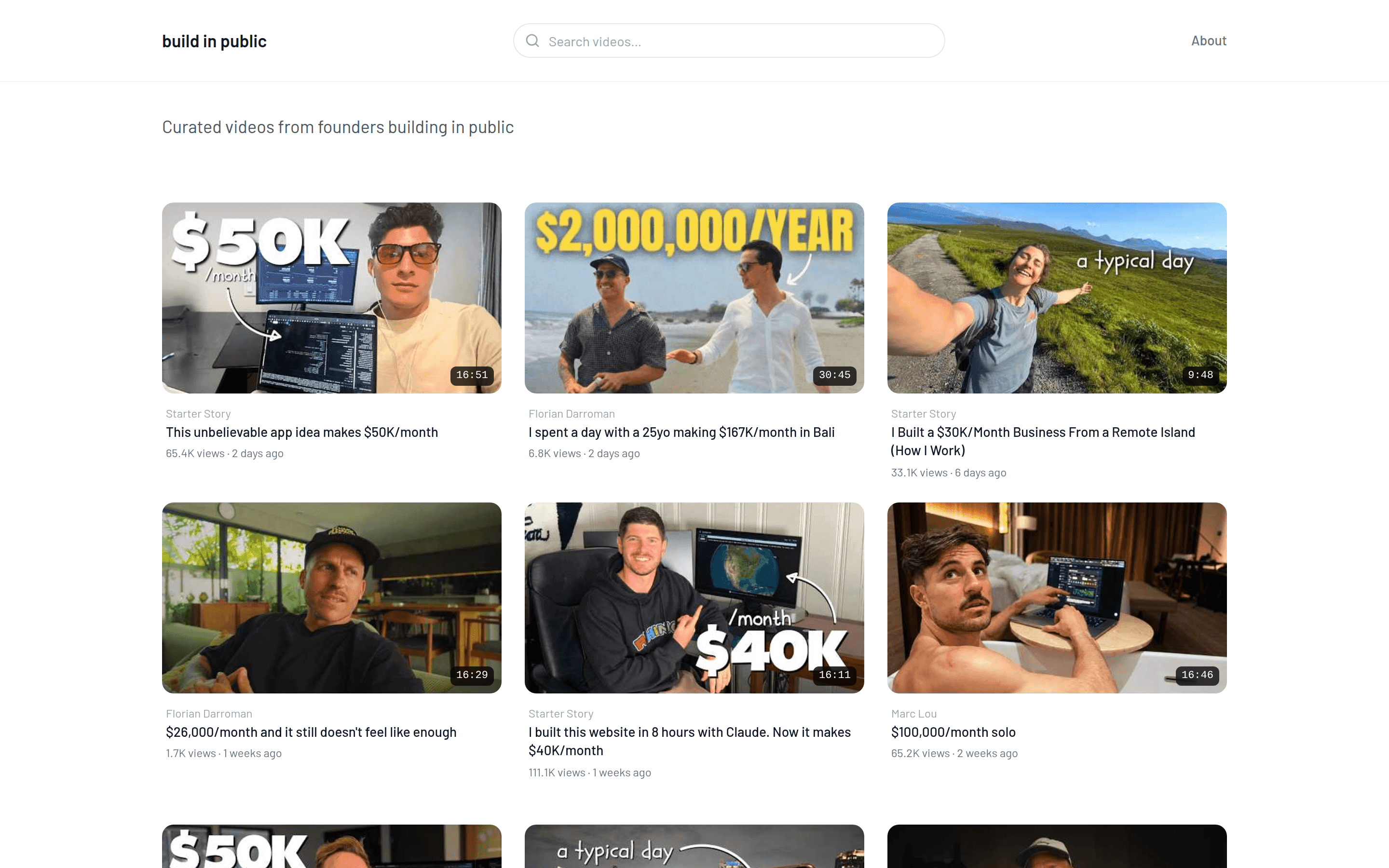
A live example: buildinpublic.video collects build-in-public and indie-hacker videos from channels like Starter Story, Marc Lou, Rob Hallam, and Florian Darroman on one page, newest first.
Why curate?
A curated site earns its audience through selection, not production. If you already follow a niche closely — a framework, an industry, a sport — you can be the person who filters the noise. Videos are embedded from YouTube, so plays count for the original creators; your site gives their work more reach while you build the go-to destination (and mailing list) for the topic.
Build a curated hub
Create a website around the topic, not a channel. Name it after the niche (e.g. "Build in Public"), write a bio that describes the topic, and add a simple logo or wordmark. See Logo, colors & bio.
Add the channels that define the niche. Search and add each channel in the editor's Channels tab. Multi-channel sites need Premium (3 channels) or Max (unlimited channels, 5 websites).
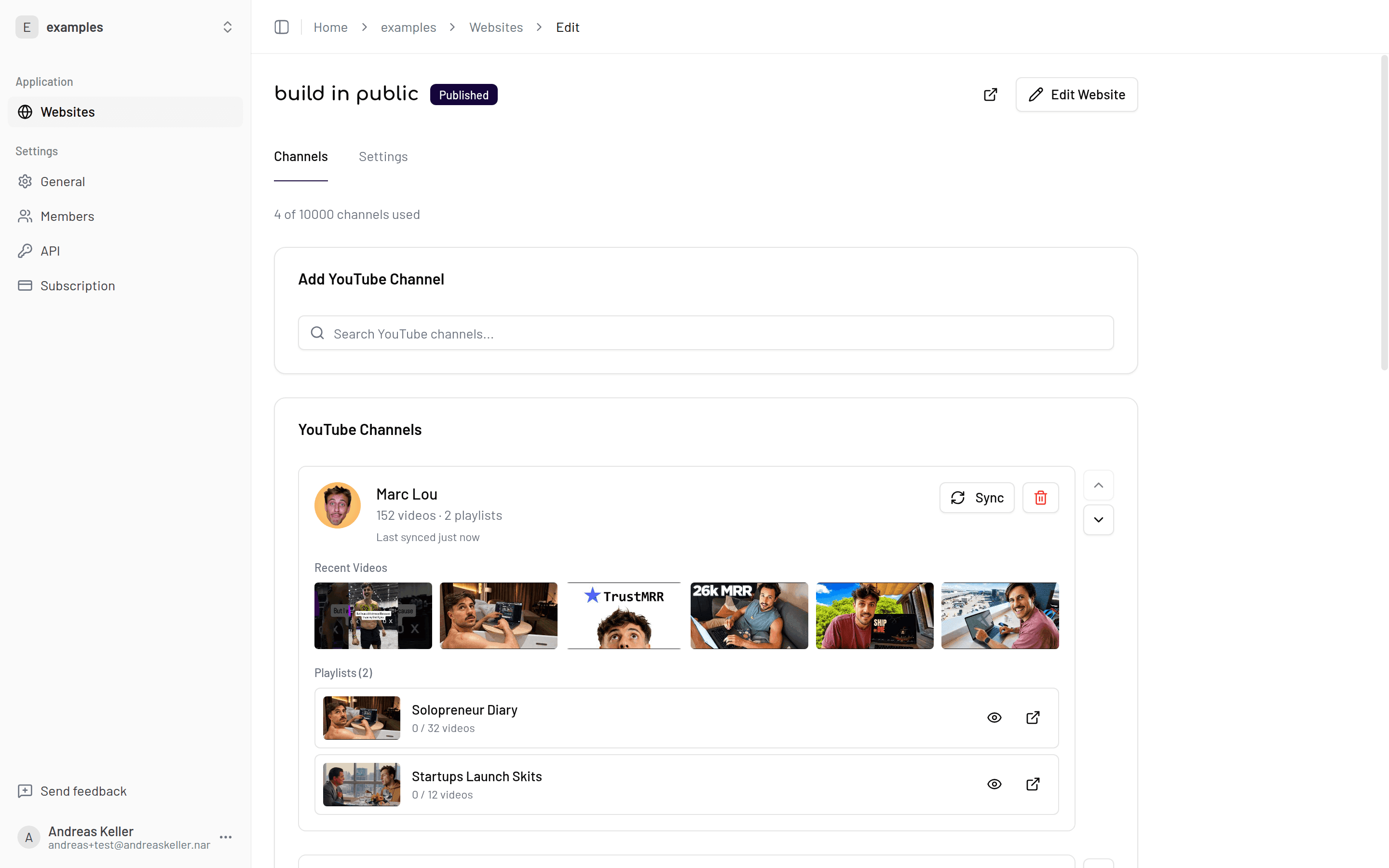
Mix everything into one feed. Set the channel mix mode to mix and the sort order to new to old — the homepage becomes a single stream of the latest videos across all channels, TED-style. Prefer per-channel sections? Use group mode instead. See Videos.
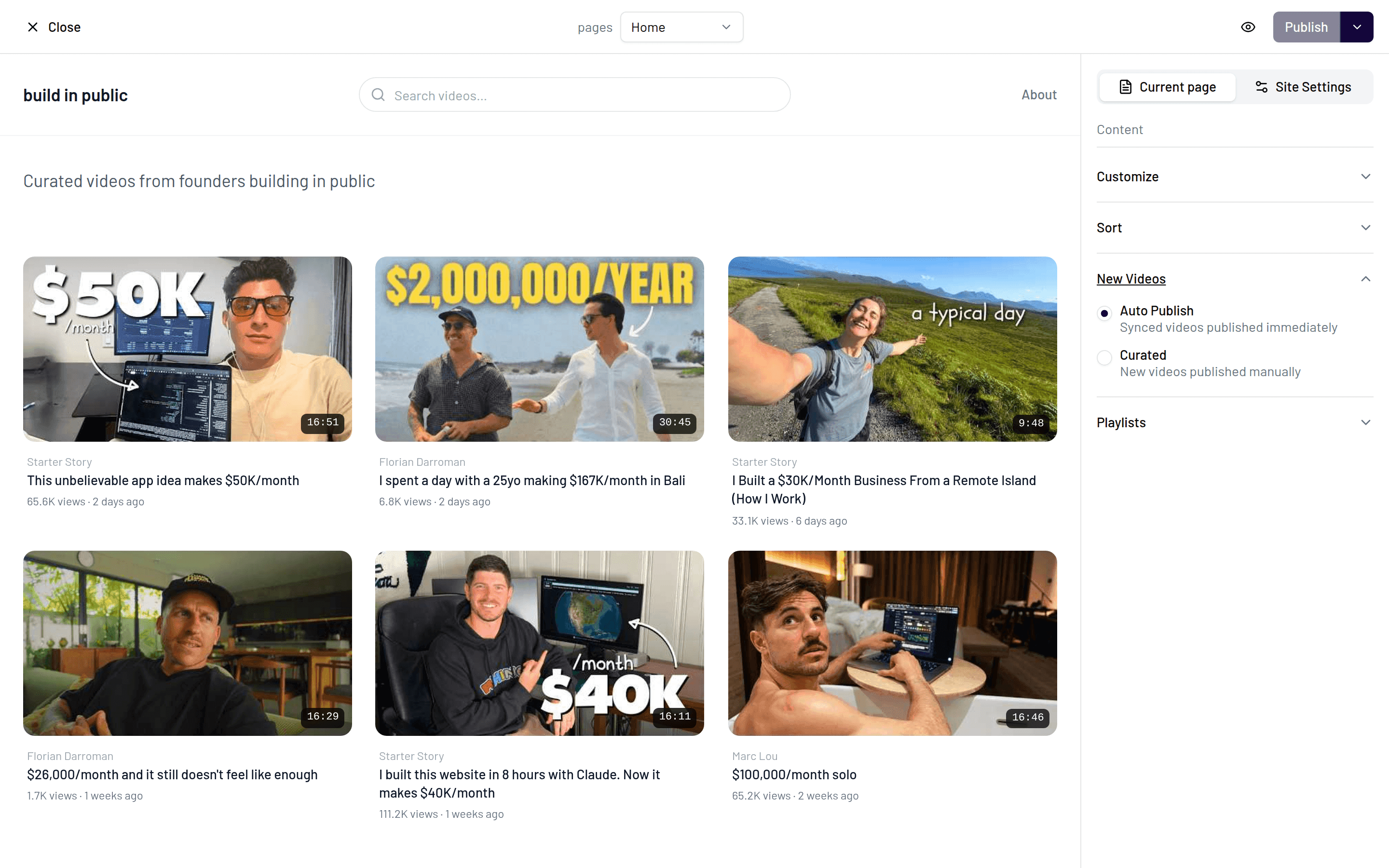
Curate, don't just aggregate. Switch new videos to curated mode so uploads land hidden until you approve them, hide videos that don't fit, and feature the standouts in the Featured section. Turn Shorts off to keep the feed focused.
Own the audience. Add a newsletter signup ("the best build-in-public videos, weekly") and, once the site has traction, sponsor & CTA blocks for monetization.
Plan requirements
Multiple channels per website require the Premium plan (3 channels) or Max (unlimited channels, up to 5 websites, sync every 15 minutes). See Plans & limits.
Curation tips
Keep the bar high — a hub with 5 great channels beats one with 25 mixed ones. Sync frequency matters more for curated sites than for single-channel sites, since "latest across the niche" is the promise; Max's 15-minute sync keeps the feed fresh. And credit your sources visibly: the channel name is shown on every video, and a short "about" bio explaining your selection criteria builds trust.