
Newsletter signups
Collect email subscribers on your website and send them straight to your newsletter provider.
Why collect emails
YouTube decides who sees your videos. An email list doesn't. Every subscriber you collect is a direct line to your audience that no algorithm change, demonetization wave, or recommendation shake-up can take away. Your yabby website is the perfect place to collect them: it's where your most engaged viewers land when they want more than the next autoplay.
yabby adds an email signup form to your website and forwards every subscriber directly to the newsletter provider you already use.
Set up email signup
Open your website in the editor (Dashboard → Websites) and select Email signup in the sidebar.
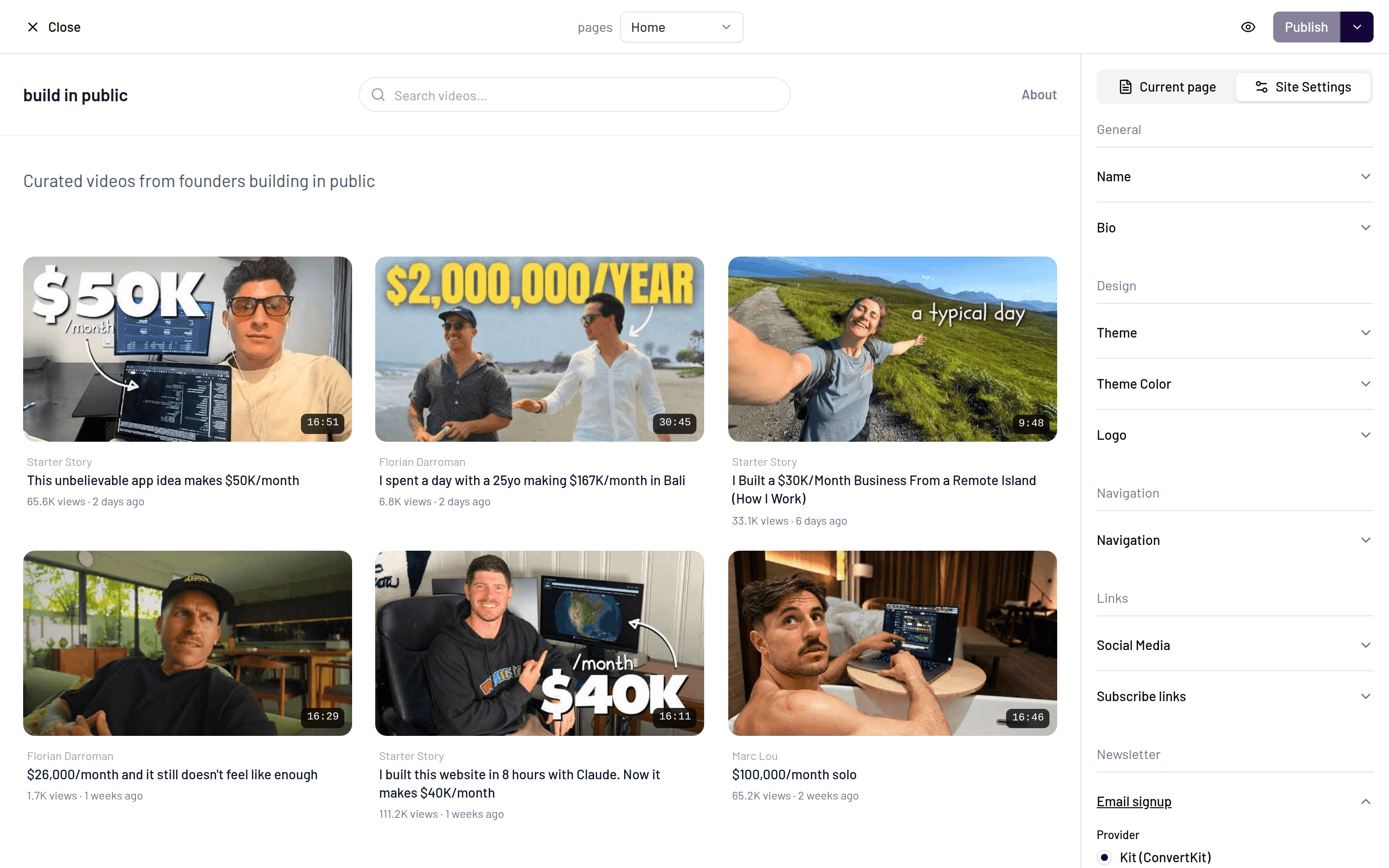
Choose your newsletter provider and connect it with your API credentials. See the provider tabs below for where to find them.
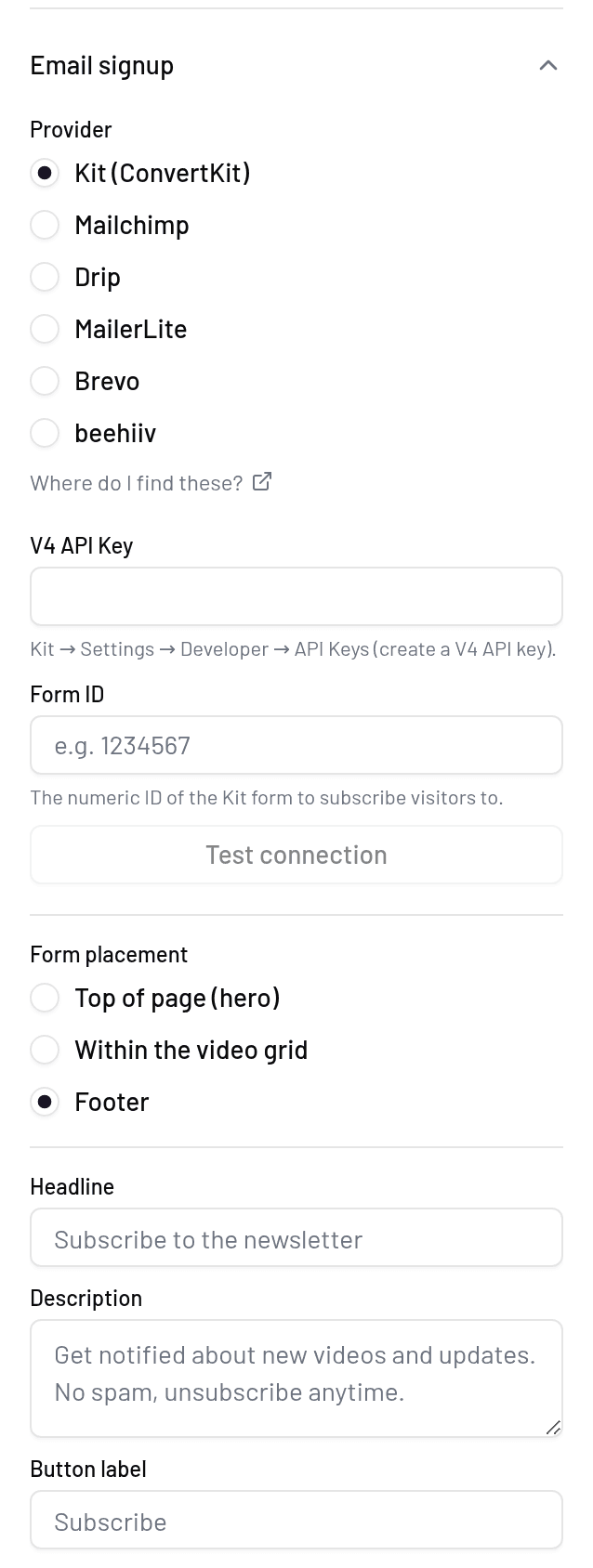
Pick where the form appears: in the hero, in-grid (inside the video grid), or in the footer. Optionally, also show the form on video pages.
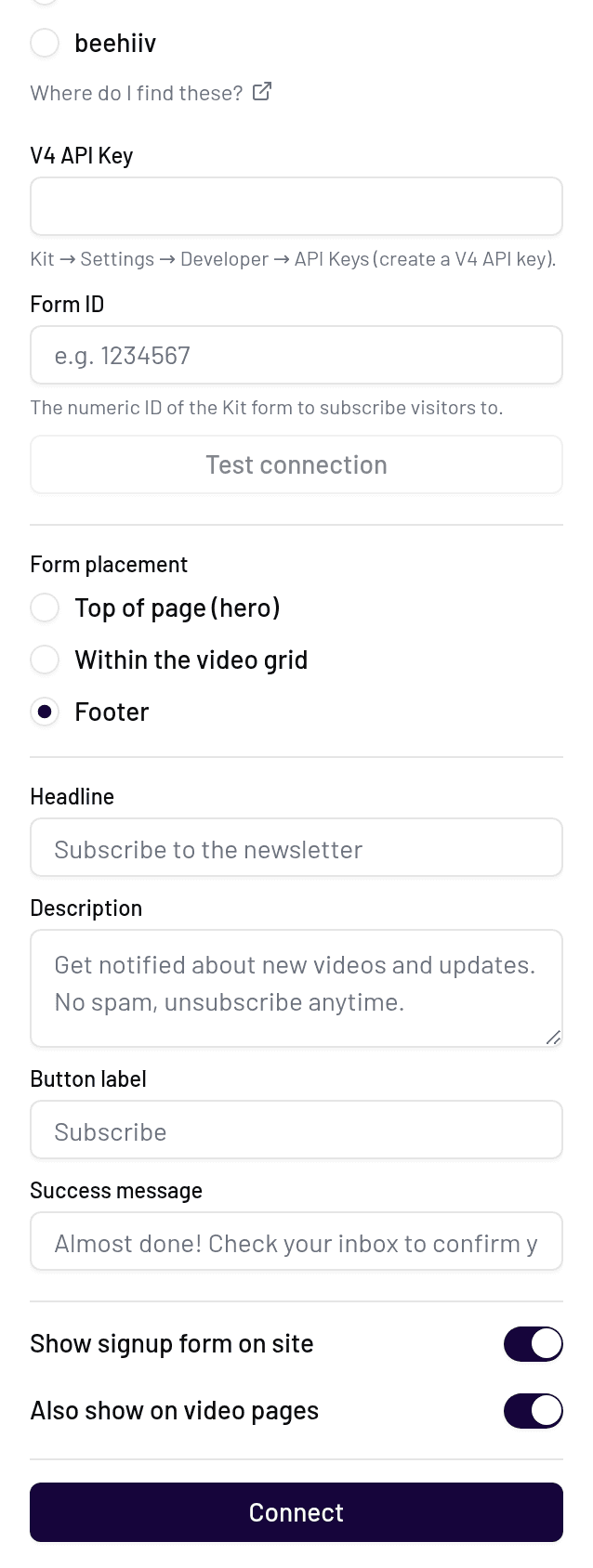
Customize the headline, description, button label, and success message to match your voice.
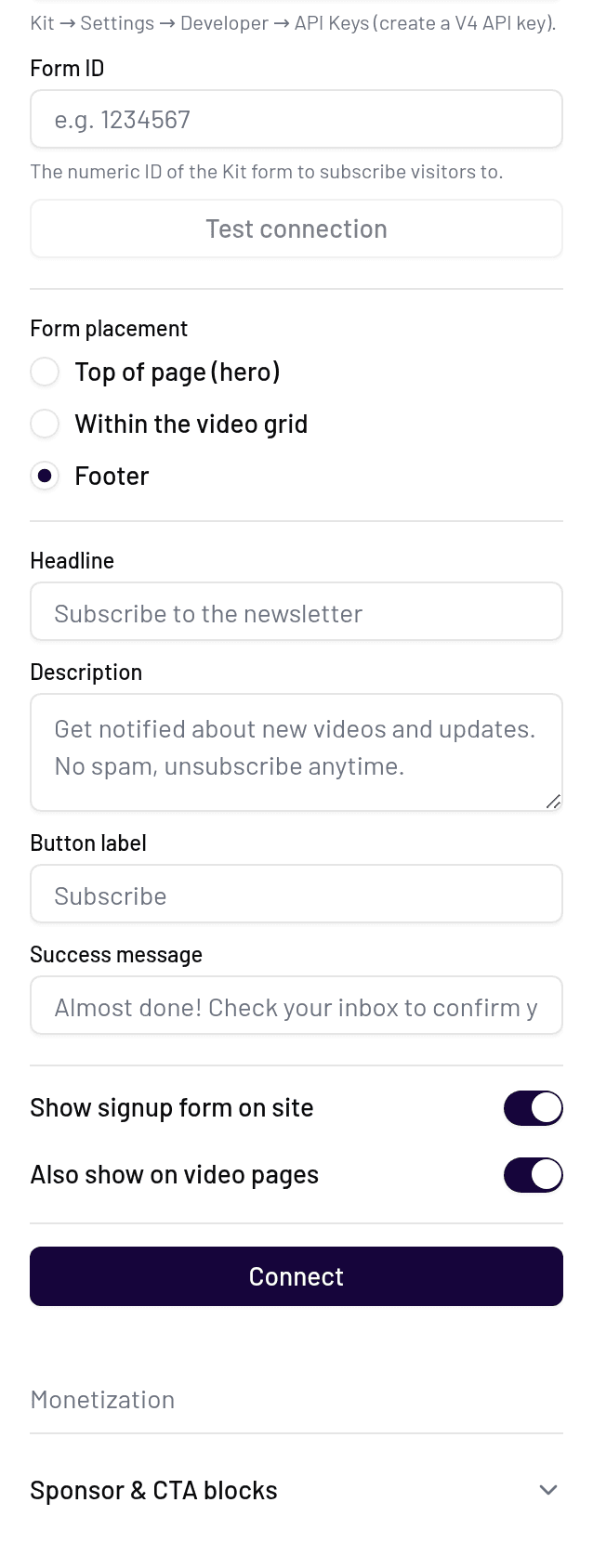
Enable the signup form. You can disable it again anytime without losing your settings.
Supported providers
yabby connects to six newsletter providers. In each case you'll need an API key (or equivalent credentials) from your provider account.
Create an API key in your Kit account settings, paste it into yabby, and choose the form or list new subscribers should be added to.
Create an API key in your Mailchimp account settings and paste it into yabby. Subscribers are added to the audience you select.
Generate an API token in your MailerLite account settings and paste it into yabby. New signups land in the group you choose.
Create an API key in your Brevo account settings and paste it into yabby. Subscribers are added to the contact list you select.
Create an API key in your Beehiiv account settings and paste it into yabby, along with the publication subscribers should join.
Find your API token in your Drip account settings and paste it into yabby. New subscribers are added to your Drip account directly.
Privacy
Subscribers are forwarded directly to your newsletter provider — yabby never stores their email addresses. Your provider credentials are stored encrypted and are only used to pass signups through.
Your list is yours
Because subscribers live in your provider, you can leave yabby at any time and keep every contact you collected.